 SocialGlyphs
That Grey Arrow on Snapchat Isn't Always What You Think. Here's What It Means
A grey arrow and 'Pending' on Snapchat doesn't always mean you're blocked. Here's what it actually means, how to tell which case you're in, and what to do.

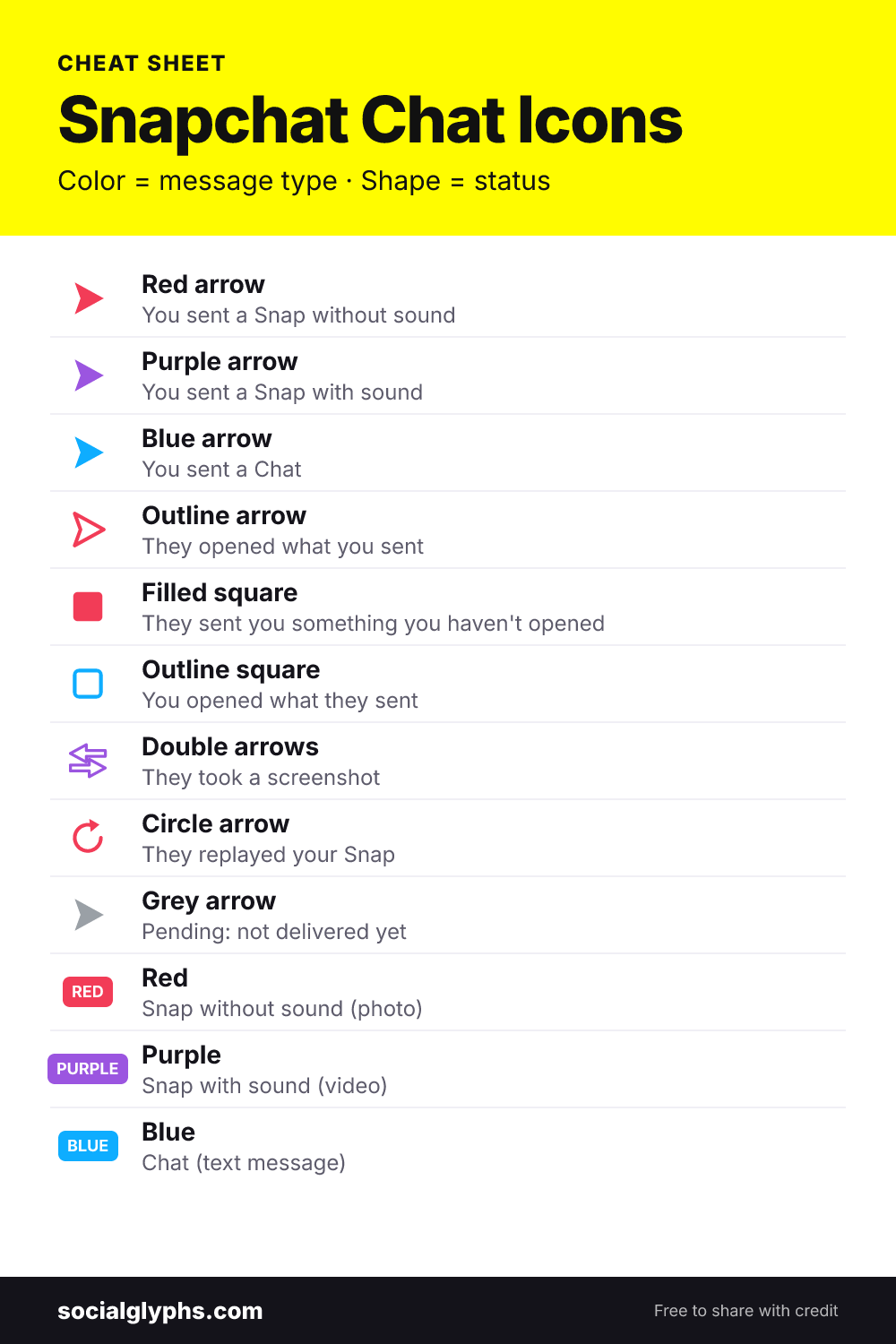
A grey arrow with the word “Pending” means Snapchat couldn’t deliver what you sent. The Snap or Chat is sitting in a queue, and the other person hasn’t been notified or seen anything yet.
Most people’s first thought is “they blocked me.” That’s one possibility, but it’s usually not the reason. Far more often, the person simply hasn’t added you back, or your own connection dropped while the Snap was sending.
Why Snapchat shows a grey arrow
Normally, a Snap you send shows a red, purple or blue arrow, depending on whether it’s a photo, a video with sound or a Chat. Snapchat only switches to grey when it can’t hand the message over. There are four common reasons, and they look slightly different once you know what to check.
The most common one is that you’re not friends yet. You added them, but they haven’t added you back, and their privacy settings only let friends send them Snaps. Your message waits until they accept.
The second is that they removed you. If you used to chat normally and the arrows suddenly turn grey, they’ve probably taken you off their friends list. Snapchat doesn’t send a notification when that happens, so the grey arrow is often how people find out.
The third is plain connection trouble. A weak signal, switching between Wi‑Fi and mobile data, or a glitch in the app can leave a Snap stuck as Pending for a while, even with close friends.
The last is being blocked. It’s possible, but you can usually rule it in or out in under a minute.
Does a grey arrow mean you’re blocked?
Not on its own. Search for their username in Snapchat. If their profile shows up with an Add button, you aren’t blocked: they just haven’t added you back, or they removed you. If the account doesn’t appear at all, try searching from a friend’s phone. When it shows up for your friend but not for you, that points to a block.
It’s also worth checking whether Snaps to other people are going through. If several friends show Pending at once, the problem is on your side, not theirs.
How to fix a pending Snap
If it’s your connection, switch networks, close and reopen Snapchat, and update the app. Clearing the cache (Settings, then Clear Cache) also helps when Snaps get stuck. Then send it again.
If they haven’t added you back, there isn’t anything you can do from your side except wait. Once they accept your request, anything that was pending can still be delivered.
If they removed or blocked you, the grey arrow won’t go away by itself. Sending more Snaps won’t change it, so it’s better to leave it.
What people mean by a “grey arrow check”
You might get a random Snap from someone with “grey arrow check” written on it. They’re testing whether their Snap to you shows grey, which would mean you’ve removed them. If you’re still friends, it shows as a normal arrow and they get their answer.
For every other color and shape you’ll see in your chat list, see our Snapchat symbols chart. If you’re wondering about the emojis next to names instead, that’s covered in Snapchat friend emojis explained.
Frequently asked questions
Will they get my Snap once they add me back?
Yes. If they accept your friend request, Snaps and Chats that were waiting can still be delivered to them.
What is a grey arrow check?
It's when someone sends you a random Snap just to see if it turns grey. People do it to find out whether you've removed them.
Can I see who removed me on Snapchat?
Snapchat doesn't tell you. A grey arrow on someone you used to chat with normally is the closest hint you'll get.

Affan Ahmed is an SEO specialist with a BSc in Computer Science who has worked in search and social media marketing since 2022. He tests every symbol and feature on SocialGlyphs on his own phone before writing about it.